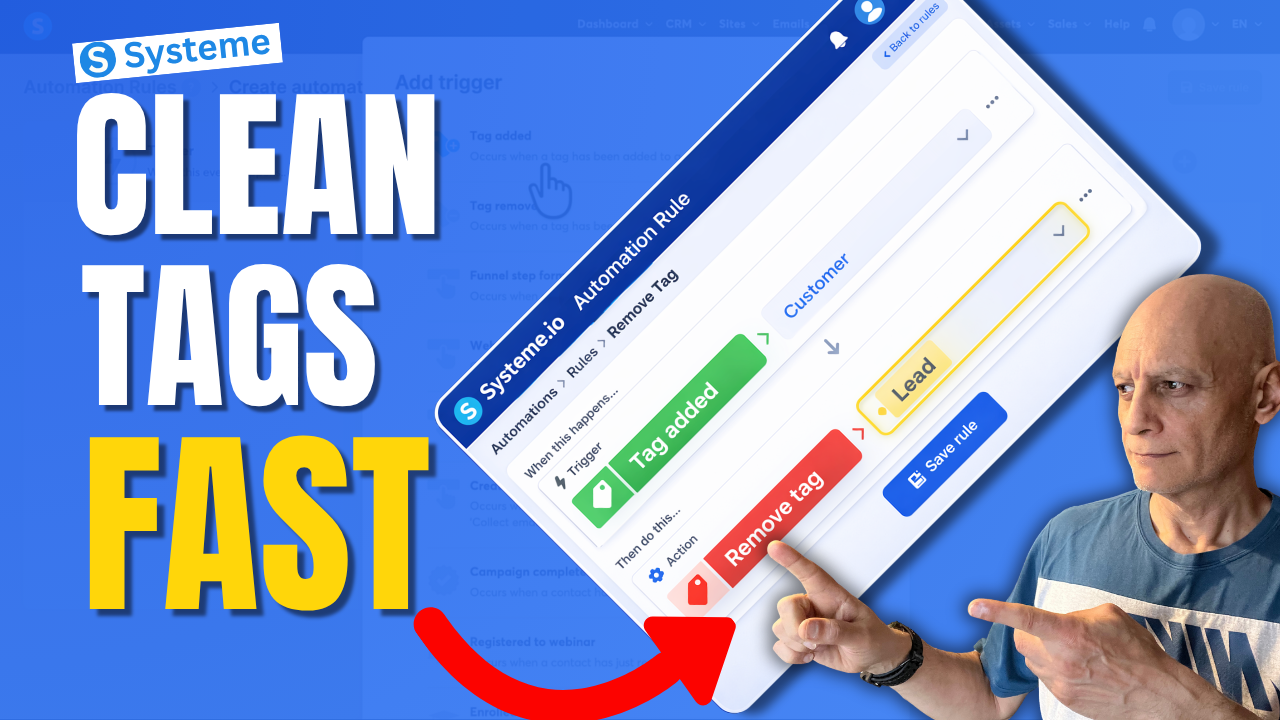
Want to remove a tag automatically in Systeme.io instead of doing it manually every time?
In this beginner-friendly tutorial, I’ll show you step by step how to remove a tag with automation in Systeme.io so you can keep your contacts organised and avoid messy tag setups.
In this beginner-friendly tutorial, I’ll show you step by step how to remove a tag with automation in Systeme.io so you can keep your contacts organised and avoid messy tag setups.
This is useful if you want to:
• clean up old tags automatically
• organise your contacts better
• stop people from staying in the wrong segment
• improve your email follow-up automations
If you’re new to Systeme.io, don’t worry — I’ll keep everything simple and easy to follow.
In this video, you’ll learn:
• how to create an automation rule
• how to choose the right trigger
• how to remove a tag automatically
• how to keep your tags cleaner as your list grows
Next Video: Tag Contacts Automatically by Funnel Step in Systeme.io Automation Rule
https://youtu.be/t4h6SreY558
 Free Resource: Check out the free checklist below to help you build better-performing pages and funnels inside Systeme.io.
 https://www.pagebuilderacademy.com/starter
Get a FREE Systeme.io account below:
https://www.pagebuilderacademy.com/systeme
See my full Systeme.io review + bonuses:
https://www.pagebuilderacademy.com/2r8b
If you enjoy beginner-friendly Systeme.io tutorials, make sure to subscribe for more.
#systemeio #emailmarketing #automation #funnels #systemeiotutorial #pagebuilderacademy
 Timestamps
0:00 Stop Messy Tags (Big Mistake)
0:09 The Simple Fix (What You’ll Learn)
0:20 What a Tag Actually Is
0:35 What We’re Building (Quick Overview)
0:51 Where to Find Automations
0:59 Create a New Rule
1:06 Choose Your Trigger (Tag Added)
1:23 Select Your Customer Tag
1:39 Add the Clean-Up Step (Remove Tag)
1:47 Choose Which Tag to Remove
2:03 How the Automation Works
2:08 Save Your Rule (Important)
2:16 Real Example (Customer vs Lead)
2:25 Why This Keeps Your List Clean
2:33 More Use Cases (Funnels & Segments)
2:49 Avoid Sending Wrong Emails
2:57 Beginner Tip (Fix Your Tag Names)
3:09 Why This Simple Automation Matters
3:17 Free Systeme.io Starter Kit
========================
QUESTIONS? CONTACT ME!
========================
EMAIL: zaf@pagebuilderacademy.com
===========
FOLLOW ME
===========
 YOUTUBE SUBSCRIBE – @PageBuilderAcademy
============
DISCLAIMER
============
Some of the links in this description may be affiliate links, which means I receive a small commission at NO ADDITIONAL cost to you if you decide to purchase something.
• clean up old tags automatically
• organise your contacts better
• stop people from staying in the wrong segment
• improve your email follow-up automations
If you’re new to Systeme.io, don’t worry — I’ll keep everything simple and easy to follow.
In this video, you’ll learn:
• how to create an automation rule
• how to choose the right trigger
• how to remove a tag automatically
• how to keep your tags cleaner as your list grows
Next Video: Tag Contacts Automatically by Funnel Step in Systeme.io Automation Rule
https://youtu.be/t4h6SreY558
Free Resource: Check out the free checklist below to help you build better-performing pages and funnels inside Systeme.io.https://www.pagebuilderacademy.com/starterGet a FREE Systeme.io account below:
https://www.pagebuilderacademy.com/systemeSee my full Systeme.io review + bonuses:
https://www.pagebuilderacademy.com/2r8bIf you enjoy beginner-friendly Systeme.io tutorials, make sure to subscribe for more.
#systemeio #emailmarketing #automation #funnels #systemeiotutorial #pagebuilderacademy
Timestamps0:00 Stop Messy Tags (Big Mistake)
0:09 The Simple Fix (What You’ll Learn)
0:20 What a Tag Actually Is
0:35 What We’re Building (Quick Overview)
0:51 Where to Find Automations
0:59 Create a New Rule
1:06 Choose Your Trigger (Tag Added)
1:23 Select Your Customer Tag
1:39 Add the Clean-Up Step (Remove Tag)
1:47 Choose Which Tag to Remove
2:03 How the Automation Works
2:08 Save Your Rule (Important)
2:16 Real Example (Customer vs Lead)
2:25 Why This Keeps Your List Clean
2:33 More Use Cases (Funnels & Segments)
2:49 Avoid Sending Wrong Emails
2:57 Beginner Tip (Fix Your Tag Names)
3:09 Why This Simple Automation Matters
3:17 Free Systeme.io Starter Kit
========================
QUESTIONS? CONTACT ME!
========================
EMAIL: zaf@pagebuilderacademy.com
===========
FOLLOW ME
===========
YOUTUBE SUBSCRIBE – @PageBuilderAcademy ============
DISCLAIMER
============
Some of the links in this description may be affiliate links, which means I receive a small commission at NO ADDITIONAL cost to you if you decide to purchase something.
Leave a Reply