Tag: systeme io tutorial

  • How to find unsubscribed contacts in Systeme.io

    How to find unsubscribed contacts in Systeme.io

    Want to know who unsubscribed from your Systeme.io emails?

    In this quick beginner tutorial, you’ll learn how to find unsubscribed contacts step-by-step—so you can keep your list clean and stay compliant. Perfect for anyone using Systeme.io for email marketing or funnels.
    🔹 What you’ll learn:

    ✅ How to view unsubscribed contacts in Systeme.io
    ✅ How to filter by email status
    ✅ How to export unsubscribed contacts

    📘 Subscribe for more Systeme.io tutorials from Page Builder Academy!

    Download The Free Starter Kit: A step-by-step checklist and a ready-made landing page template (for Systeme.io)

    🔗https://www.pagebuilderacademy.com/starter

    💡 Grab yourself a free Systeme.io account: An all-in-one platform, create emails, funnels and more!

    🔗https://www.pagebuilderacademy.com/systeme

    Timestamps:
    0:00 – Intro
    0:38 – Navigating to contacts
    0:44 – Quickly spotting unsubscribes
    1:22 – Creating a filter
    1:37 – Filter criteria
    2:10 – Naming & saving your filter
    2:42 – Accessing the saved filter
    3:08 – Deleting unsubscribes
    3:21 – Export unsubscribes
    4:18 – Outro Free resource

    #systemeio #systemeiotutorial #pagebuilder #funnelbuilder #onlinemarketingtips #emailmarketing #PageBuilderAcademy #systemeiotutorial

    ========================
    QUESTIONS? CONTACT ME!
    ========================

    EMAIL: zaf@pagebuilderacademey.com

    ===========
    FOLLOW ME
    ===========

    ▶ YOUTUBE SUBSCRIBE – @PageBuilderAcademy

    ============
    DISCLAIMER
    ============

    Some of the links in this description may be affiliate links, which means I receive a small commission at NO ADDITIONAL cost to you if you decide to purchase something.

    These are my opinions and do not represent the views of the companies that create these products.

    My opinions are based on my personal experience and research. I never recommend poor-quality products or create false reviews to generate sales.

    I intend to explain products so you can make an informed decision on which ones suit your needs best.

    Any forward-looking statements in this video are intended to express my opinions. They are opinions only and should not be relied upon as fact.

    Success in any endeavour is based on many factors, individual to you. I do not know your educational background, your skills, your prior experience, or the time you can and will devote to the endeavour.
  • Make Your Systeme.io Pages Pop with Bullet Points

    Make Your Systeme.io Pages Pop with Bullet Points

    Want to make your Systeme.io pages stand out?

    In this quick tutorial, I’ll show you how to add and format bullet points in Systeme.io so your text looks clean, professional, and easy to read.
    Bullet points help you:
    ✔ Highlight your best features or benefits
    ✔ Break up long blocks of text
    ✔ Instantly make your pages more engaging

    By the end of this video, you’ll know exactly how to format bullet points in Systeme.io so your landing pages, funnels, and opt-in forms look sharper and more persuasive.

    👉 Don’t forget to grab my free Systeme.io guide and ready-made landing page template in the description below to get started faster.

    Download The Free Starter Kit: A step-by-step checklist and a ready-made landing page template (for Systeme.io) 🔗https://optin.pagebuilderacademy.com

    💡 Grab yourself a free Systeme.io account: An all-in-one platform, create emails, funnels and more!

    🔗https://www.pagebuilderacademy.com/systeme


    Timestamps:

    0:00 – Intro
    0:33 – Navigating to Sales Funnels
    0:57 – Edit page
    1:10 – Adding the bullets
    2:03 – Formatting the bullets
    2:41 – Changing Bullet icon
    3:32 – Save & Preview
    3:49 – Outro

    #systemeio #systemeiotutorial #pagebuilder #funnelbuilder #onlinemarketingtips systemeiotutorial #pagebuilder #bulletpoints

    ========================
    QUESTIONS? CONTACT ME!
    ========================

    EMAIL: zaf@pagebuilderacademey.com

    ===========
    FOLLOW ME
    ===========

    ▶ YOUTUBE SUBSCRIBE – @PageBuilderAcademy

    ============
    DISCLAIMER
    ============

    Some of the links in this description may be affiliate links, which means I receive a small commission at NO ADDITIONAL cost to you if you decide to purchase something.

    These are my opinions and do not represent the views of the companies that create these products.

    My opinions are based on my personal experience and research. I never recommend poor-quality products or create false reviews to generate sales.

    I intend to explain products so you can make an informed decision on which ones suit your needs best.

    Any forward-looking statements in this video are intended to express my opinions. They are opinions only and should not be relied upon as fact.

    Success in any endeavour is based on many factors, individual to you. I do not know your educational background, your skills, your prior experience, or the time you can and will devote to the endeavour.
  • See Who Unsubscribed in Systeme.io

    See Who Unsubscribed in Systeme.io

    Ever wonder who’s unsubscribed from your Systeme.io emails?

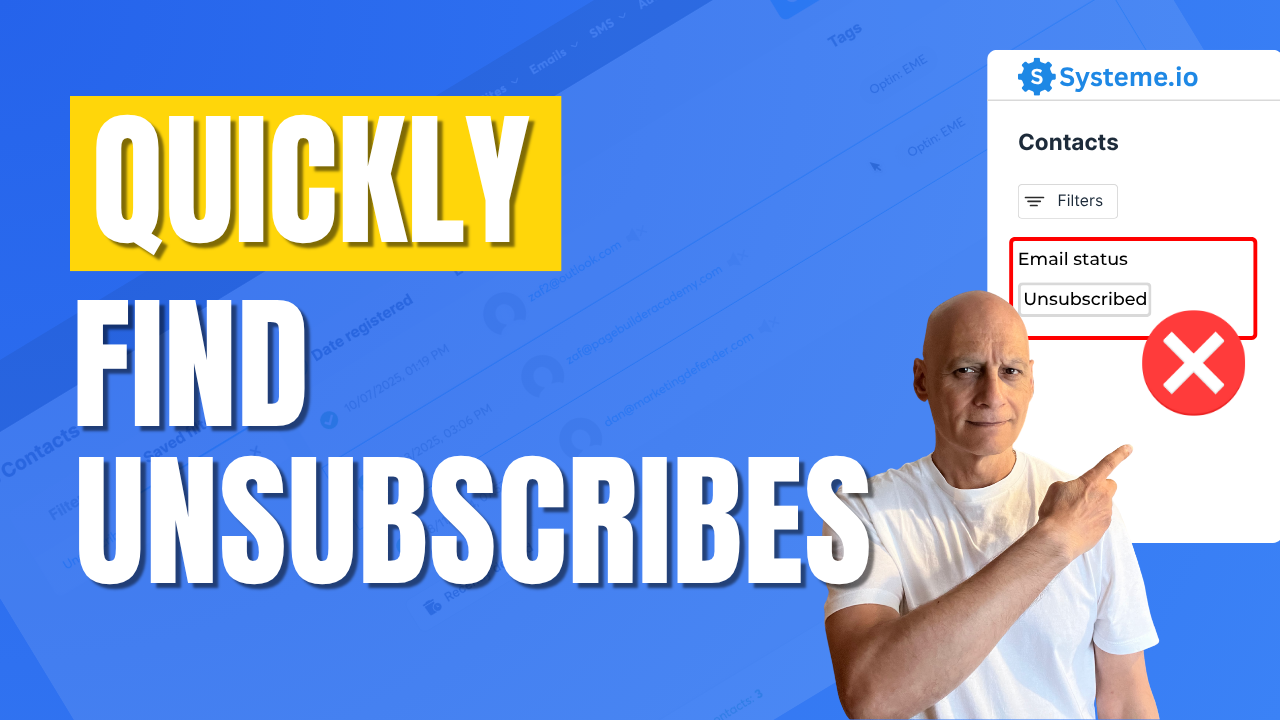
    In this quick tutorial, you’ll see exactly where to find your unsubscribed contacts, so you can keep your list clean, avoid sending to inactive leads, and improve your email deliverability.

    Perfect for beginners using Systeme.io for funnels or email marketing.
    🔹 In this video:
    ✅ View unsubscribed contacts step-by-step
    ✅ Filter your list by email status
    ✅ Export or tag unsubscribed contacts for better management

    👉 Watch now to keep your Systeme.io list healthy and compliant!

    Download The Free Starter Kit: A step-by-step checklist and a ready-made landing page template (for Systeme.io)

    🔗https://optin.pagebuilderacademy.com

    💡 Grab yourself a free Systeme.io account: An all-in-one platform, create emails, funnels and more!

    🔗https://www.pagebuilderacademy.com/systeme

    Timestamps:
    0:00 – Intro
    0:38 – Navigating to contacts
    0:49 – Method one to view unsubscribes
    1:19 – Creating a filter
    2:00 – Save and name the filter
    3:29 – Outro: Free resource

    #systemeio #systemeiotutorial #pagebuilder #funnelbuilder #onlinemarketingtips #emailmarketing #PageBuilderAcademy

    ========================
    QUESTIONS? CONTACT ME!
    ========================

    EMAIL: zaf@pagebuilderacademey.com

    ===========
    FOLLOW ME
    ===========

    ▶ YOUTUBE SUBSCRIBE – @PageBuilderAcademy

    ============
    DISCLAIMER
    ============

    Some of the links in this description may be affiliate links, which means I receive a small commission at NO ADDITIONAL cost to you if you decide to purchase something.

    These are my opinions and do not represent the views of the companies that create these products.

    My opinions are based on my personal experience and research. I never recommend poor-quality products or create false reviews to generate sales.

    I intend to explain products so you can make an informed decision on which ones suit your needs best.

    Any forward-looking statements in this video are intended to express my opinions. They are opinions only and should not be relied upon as fact.

    Success in any endeavour is based on many factors, individual to you. I do not know your educational background, your skills, your prior experience, or the time you can and will devote to the endeavour.
  • Add Downloadable PDFs to Your Systeme.io Pages Fast & Easy

    Add Downloadable PDFs to Your Systeme.io Pages Fast & Easy

    Want to add a downloadable PDF to your Systeme.io funnel or page?

    In this quick step-by-step tutorial, you’ll learn two easy ways to upload your PDF and create a download link or button — perfect for sharing checklists, lead magnets, or ebooks with your subscribers.
    By the end of this video, you’ll know how to:

    ✅ Upload your PDF inside Systeme.io
    ✅ Add a Download File button
    ✅ Create a clickable text link for your PDF
    ✅ Make your freebie open in a new tab automatically

    This method is perfect for thank-you pages, funnels, or freebie downloads — all using the free Systeme.io plan!

    Download The Free Starter Kit: A step-by-step checklist and a ready-made landing page template (for Systeme.io)

    🔗https://optin.pagebuilderacademy.com

    💡 Grab yourself a free Systeme.io account: An all-in-one platform, create emails, funnels and more!

    🔗https://www.pagebuilderacademy.com/systeme

    Timestamps:
    0:00 – Intro
    0:38 – Navigating to Sales Funnels
    0:45 – Select Required Funnel
    0:54 – Go into Page Editor
    1:21 – Adding a button element
    1:51 – Edit button action
    2:05 – Uploading your PDF
    2:53 – Editing the button
    4:11 – Saving and previewing, and testing the PDF
    4:44 – Adding a text element for your PDF link
    5:18 – Formatting the text element.
    5:28 – Linking the text to your PDF
    6:17 – Saving and testing the link
    6:45 – Checking in mobile view
    7:11 – Free resource mentioned

    #systemeio #systemeiotutorial #pagebuilder #funnelbuilder #onlinemarketingtips

    ========================
    QUESTIONS? CONTACT ME!
    ========================

    EMAIL: zaf@pagebuilderacademey.com

    ===========
    FOLLOW ME
    ===========

    ▶ YOUTUBE SUBSCRIBE – @PageBuilderAcademy
    ============
    DISCLAIMER
    ============

    Some of the links in this description may be affiliate links, which means I receive a small commission at NO ADDITIONAL cost to you if you decide to purchase something.

    These are my opinions and do not represent the views of the companies that create these products.

    My opinions are based on my personal experience and research. I never recommend poor-quality products or create false reviews to generate sales.

    I intend to explain products so you can make an informed decision on which ones suit your needs best.

    Any forward-looking statements in this video are intended to express my opinions. They are opinions only and should not be relied upon as fact.

    Success in any endeavour is based on many factors, individual to you. I do not know your educational background, your skills, your prior experience, or the time you can and will devote to the endeavour.
  • How to duplicate an entire funnel inside Systeme.io

    How to duplicate an entire funnel inside Systeme.io

    Learn how to duplicate an entire funnel in Systeme.io with just a few clicks.


     This beginner-friendly tutorial walks you step by step through finding your funnel, duplicating it, and renaming the copy so you can reuse it for new projects. Perfect if you want to save time and avoid rebuilding funnels from scratch.
    0:00:00 – Intro
    00:36:11 – Select the Funnel
    01:00:01 – Rename Funnel
    01:50:01 – Check the Funnel
    02:08:12 – Free Resource

    Download The Free Starter Kit: A step-by-step checklist and a ready-made landing page template (for Systeme.io)


    🔗https://optin.pagebuilderacademy.com

    💡 Grab yourself a free Systeme.io account: An all-in-one platform, create emails, funnels and more!

    🔗https://www.pagebuilderacademy.com/systeme

    #systemeio #systemeiotutorial #pagebuilder

    ========================
    QUESTIONS? CONTACT ME!
    ========================

    EMAIL: zaf@pagebuilderacademey.com

    ===========
    FOLLOW ME
    ===========

    ▶ YOUTUBE SUBSCRIBE – @PageBuilderAcademy

    ============
    DISCLAIMER
    ============

    Some of the links in this description may be affiliate links, which means I receive a small commission at NO ADDITIONAL cost to you if you decide to purchase something.

    These are my opinions and do not represent the views of the companies that create these products.

    My opinions are based on my personal experience and research. I never recommend poor-quality products or create false reviews to generate sales.

    I intend to explain products so you can make an informed decision on which ones suit your needs best.

    Any forward-looking statements in this video are intended to express my opinions. They are opinions only and should not be relied upon as fact.

    Success in any endeavour is based on many factors, individual to you. I do not know your educational background, your skills, your prior experience, or the time you can and will devote to the endeavour.