Blog

  • How to add an image background section in Systeme.io

    How to add an image background section in Systeme.io

    Want to make your Systeme.io pages stand out?

    In this quick tutorial, you’ll learn step-by-step how to add an image background section inside Systeme.io.

    Perfect for beginners who want to make their landing pages look more professional without needing any design skills.
    In this video, you’ll learn:

    ✅ How to add a section in Systeme.io
    ✅ How to upload and use a background image
    ✅ How to make your background look clean and professional

    💡 Follow along using my free Systeme.io link below!

    Download The Free Starter Kit: A step-by-step checklist and a ready-made landing page template (for Systeme.io)

    🔗https://www.pagebuilderacademy.com/starter

    💡 Grab yourself a free Systeme.io account: An all-in-one platform, create emails, funnels and more!

    🔗https://www.pagebuilderacademy.com/systeme


    Timestamps:
    0:00 – Intro
    0:38 – Navigating to Sales Funnels
    0:45 – Select Required Funnel
    1:23 – Go into Page Editor
    1:13 – Adding a section
    1:51 – Adding an image to the section
    2:44 – Adjusting background section
    3:41 – Adding a text element to the section
    4:09 – Formatting the text element
    4:56 – Outro

    #systemeio #systemeiotutorial #pagebuilder #funnelbuilder #onlinemarketingtips

    ========================
    QUESTIONS? CONTACT ME!
    ========================

    EMAIL: zaf@pagebuilderacademey.com

    ===========
    FOLLOW ME
    ===========

    ▶ YOUTUBE SUBSCRIBE – @PageBuilderAcademy

    ============
    DISCLAIMER
    ============

    Some of the links in this description may be affiliate links, which means I receive a small commission at NO ADDITIONAL cost to you if you decide to purchase something.

    These are my opinions and do not represent the views of the companies that create these products.

    My opinions are based on my personal experience and research. I never recommend poor-quality products or create false reviews to generate sales.

    I intend to explain products so you can make an informed decision on which ones suit your needs best.

    Any forward-looking statements in this video are intended to express my opinions. They are opinions only and should not be relied upon as fact.

    Success in any endeavour is based on many factors, individual to you. I do not know your educational background, your skills, your prior experience, or the time you can and will devote to the endeavour.
  • How to check email click rates in Systeme.io

    How to check email click rates in Systeme.io

    Want to know how to check your email click rates in Systeme.io?

    In this short, step-by-step video, Zaf from Page Builder Academy shows you exactly where to find your click rate stats for both newsletters and campaigns — so you can quickly see what’s working and improve your email performance.
    Perfect for beginners who want to get confident using Systeme.io’s built-in email tools.

    Download The Free Starter Kit: A step-by-step checklist and a ready-made landing page template (for Systeme.io)

    🔗https://www.pagebuilderacademy.com/starter

    💡 Grab yourself a free Systeme.io account: An all-in-one platform, create emails, funnels and more!

    🔗https://www.pagebuilderacademy.com/systeme

    Timestamps:

    0:00 – Intro
    0:34 – Starting with Newsletters
    0:58 – Viewing the hidden stats
    1:21 – Looking further into email stats
    1:34 – Looking at campaigns
    1:56 – Viewing click and open rates
    2:04 – Looking further into the stats
    2:39 – Outro

    #systemeio #systemeiotutorial #pagebuilder #funnelbuilder #onlinemarketingtips

    ========================
    QUESTIONS? CONTACT ME!
    ========================

    EMAIL: zaf@pagebuilderacademey.com

    ===========
    FOLLOW ME
    ===========

    ▶ YOUTUBE SUBSCRIBE – @PageBuilderAcademy

    ============
    DISCLAIMER
    ============

    Some of the links in this description may be affiliate links, which means I receive a small commission at NO ADDITIONAL cost to you if you decide to purchase something.

    These are my opinions and do not represent the views of the companies that create these products.

    My opinions are based on my personal experience and research. I never recommend poor-quality products or create false reviews to generate sales.

    I intend to explain products so you can make an informed decision on which ones suit your needs best.

    Any forward-looking statements in this video are intended to express my opinions. They are opinions only and should not be relied upon as fact.

    Success in any endeavour is based on many factors, individual to you. I do not know your educational background, your skills, your prior experience, or the time you can and will devote to the endeavour.
  • Edit Page Layouts Fast with Systeme.io

    Edit Page Layouts Fast with Systeme.io

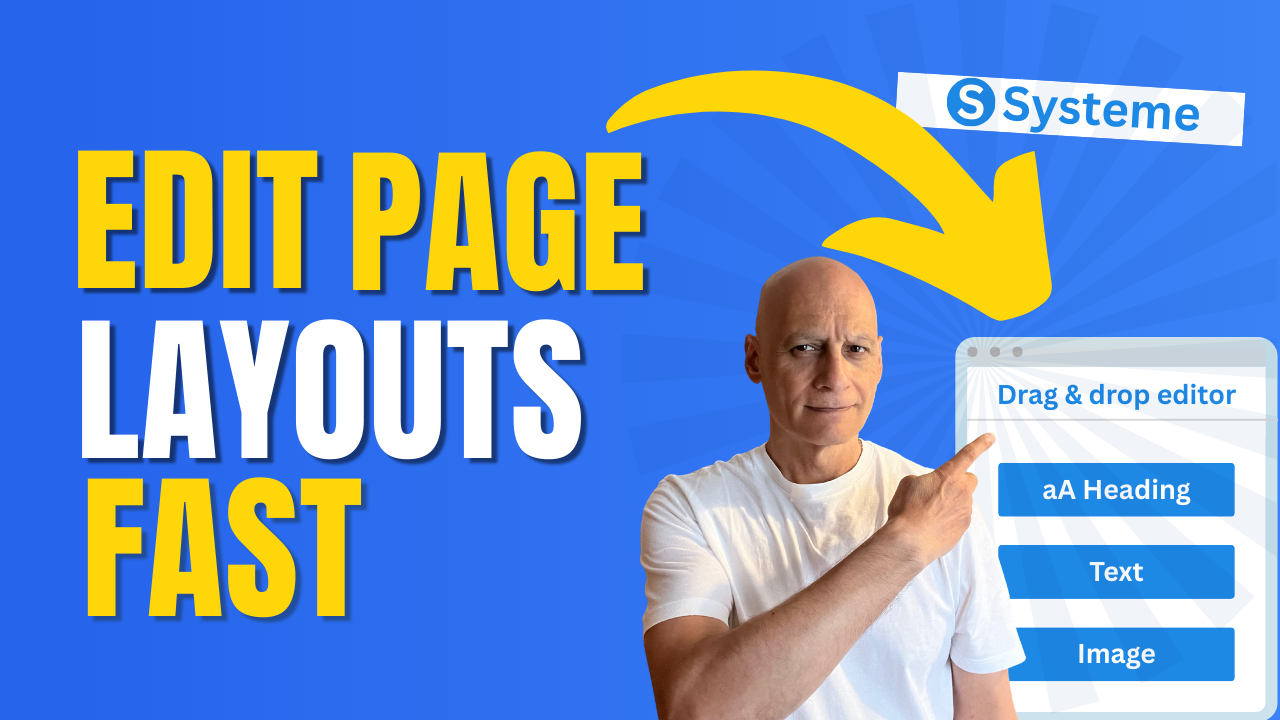
    Want to know how to change your page layout in Systeme.io without the confusion?

    In this short step-by-step tutorial, I’ll walk you through exactly where to go inside the editor and how to adjust your layout so your page looks clean, professional, and aligned with your brand.

    Click to play

    Whether you’re just starting out or tidying up your first funnel, this beginner-friendly Systeme.io tutorial will show you how to:

    ✅ Access the drag-and-drop editor
    ✅ Switch to a new layout style
    ✅ Adjust rows, columns, and sections
    ✅ Preview your page changes instantly

    By the end, you’ll have a page layout that looks exactly how you want—without wasting time.

    👉 If you don’t already have a free Systeme.io account, grab mine in the description below so you can follow along.

    Download The Free Starter Kit: A step-by-step checklist and a ready-made landing page template (for Systeme.io) 🔗https://optin.pagebuilderacademy.com

    💡 Grab yourself a free Systeme.io account: An all-in-one platform, create emails, funnels and more!

    🔗https://www.pagebuilderacademy.com/systeme

    Timestamps:
    0:00 – Intro
    0:49 – Select your funnel
    0:51 – Select Required Funnel
    1:01 – Got to the page editor
    1:18 – Sidebar elements
    1:38 – Adding a section
    1:54 – Adding a column
    2:05 – Adding elements
    3:00 – Changing the default text settings
    3:45 – Saving & previewing
    4:11 – Outro

    #systemeio #systemeiotutorial #pagebuilder #funnelbuilder #onlinemarketingtips

    ========================
    QUESTIONS? CONTACT ME!
    ========================

    EMAIL: zaf@pagebuilderacademey.com

    ===========
    FOLLOW ME
    ===========

    ▶ YOUTUBE SUBSCRIBE – @PageBuilderAcademy

    ============
    DISCLAIMER
    ============

    Some of the links in this description may be affiliate links, which means I receive a small commission at NO ADDITIONAL cost to you if you decide to purchase something.

    These are my opinions and do not represent the views of the companies that create these products.

    My opinions are based on my personal experience and research. I never recommend poor-quality products or create false reviews to generate sales.

    I intend to explain products so you can make an informed decision on which ones suit your needs best.

    Any forward-looking statements in this video are intended to express my opinions. They are opinions only and should not be relied upon as fact.

    Success in any endeavour is based on many factors, individual to you. I do not know your educational background, your skills, your prior experience, or the time you can and will devote to the endeavour.
  • How to add a logo to your emails in Systeme.io

    How to add a logo to your emails in Systeme.io

    Want your emails to stand out and look professional? In this quick tutorial, you’ll learn exactly how to add your logo to your emails in Systeme.io.

    I’ll walk you step by step through the process:

    ✅ Where to find your email editor in Systeme.io
    ✅ How to insert your logo
    ✅ How to preview and test your email

    By the end, you’ll have a branded email ready to impress your subscribers.

    Click to play

    👉 Don’t forget to subscribe for more beginner-friendly Systeme.io tutorials and grab your free Systeme.io account using the link below!

    Download The Free Starter Kit: A step-by-step checklist and a ready-made landing page template (for Systeme.io) 🔗https://optin.pagebuilderacademy.com

    💡 Grab yourself a free Systeme.io account: An all-in-one platform, create emails, funnels and more!

    🔗https://www.pagebuilderacademy.com/systeme

    How to Add a Custom Domain in Systeme.io
    https://youtu.be/WzAzCoGyOgk

    Timestamps:
    0:00 – Intro
    0:47 – Navigating to Emails
    0:51 – Select Required Option
    1:30 – Create or duplicate email
    2:17 – Using the basic editor
    2:32 – Inserting the logo
    3;28 – Positioning the logo
    4:16 – Testing the email
    5:27 – Outro

    #systemeio #systemeiotutorial #pagebuilder #funnelbuilder #onlinemarketingtips #emailmarketing #beginnertutorials

    ========================
    QUESTIONS? CONTACT ME!
    ========================

    EMAIL: zaf@pagebuilderacademey.com

    ===========
    FOLLOW ME
    ===========

    ▶ YOUTUBE SUBSCRIBE – @PageBuilderAcademy

    ============
    DISCLAIMER
    ============

    Some of the links in this description may be affiliate links, which means I receive a small commission at NO ADDITIONAL cost to you if you decide to purchase something.

    These are my opinions and do not represent the views of the companies that create these products.

    My opinions are based on my personal experience and research. I never recommend poor-quality products or create false reviews to generate sales.

    I intend to explain products so you can make an informed decision on which ones suit your needs best.

    Any forward-looking statements in this video are intended to express my opinions. They are opinions only and should not be relied upon as fact.

    Success in any endeavour is based on many factors, individual to you. I am not familiar with your educational background, skills, prior experience, or the time you can and will devote to the endeavour.
  • The Easiest Way to Check Funnel Stats in Systeme.io

    The Easiest Way to Check Funnel Stats in Systeme.io

    Want to know how your funnels are really performing inside Systeme.io? 🚀

    In this beginner-friendly video, I’ll show you exactly how to track funnel stats in Systeme.io — step by step. You’ll discover where to find your analytics, how to read the key numbers, and how to use them to improve your funnel results.

    Click to play

    By the end, you’ll know how to check visitors, leads, and conversion rates — without needing any complicated tools.

    👉 If you don’t already have a free Systeme.io account, grab one using the link in the description and start tracking your funnels today.

    📌 What you’ll learn in this video:

    Where to find funnel stats in Systeme.io
    How to read visitors, contacts, and conversions

    If you found this helpful, give the video a like 👍 and don’t forget to subscribe for more bite-sized Systeme.io tutorials.

    Video mentioned:
    Pages That Pop!
    https://youtu.be/De82UqkhaFE

    Download The Free Starter Kit: A step-by-step checklist and a ready-made landing page template (for Systeme.io) 🔗https://optin.pagebuilderacademy.com

    💡 Grab yourself a free Systeme.io account: An all-in-one platform, create emails, funnels and more!

    🔗https://www.pagebuilderacademy.com/systeme

    Timestamps:
    0:00 – Intro
    0:47 – Navigate to and select the required sales funnel
    0:51 – Select Required Funnel
    1:10 – Viewing Your Stats
    2:07 – Selecting the ‘Date’ range.
    2:55 – Outro

    #systemeio #systemeiotutorial #pagebuilder #funnelbuilder #onlinemarketingtips #funnels #analytics

    ========================
    QUESTIONS? CONTACT ME!
    ========================

    EMAIL: zaf@pagebuilderacademey.com

    ===========
    FOLLOW ME
    ===========

    ▶ YOUTUBE SUBSCRIBE – @PageBuilderAcademy

    ============
    DISCLAIMER
    ============

    Some of the links in this description may be affiliate links, which means I receive a small commission at NO ADDITIONAL cost to you if you decide to purchase something.

    These are my opinions and do not represent the views of the companies that create these products.

    My opinions are based on my personal experience and research. I never recommend poor-quality products or create false reviews to generate sales.

    I intend to explain products so you can make an informed decision on which ones suit your needs best.

    Any forward-looking statements in this video are intended to express my opinions. They are opinions only and should not be relied upon as fact.

    Success in any endeavour is based on many factors, individual to you. I do not know your educational background, your skills, your prior experience, or the time you can and will devote to the endeavour.
  • How to change page layout in Systeme.io

    How to change page layout in Systeme.io

    Learn how to change page layout in Systeme.io in this quick, beginner-friendly tutorial from Page Builder Academy. We’ll walk you step-by-step through editing your page—adding sections, adjusting columns, and arranging elements to get the layout just right. Perfect for beginners using the Systeme.io page editor.
    Download The Free Starter Kit: A step-by-step checklist and a ready-made landing page template (for Systeme.io)
    🔗https://optin.pagebuilderacademy.com

    💡 Grab yourself a free Systeme.io account: An all-in-one platform, create emails, funnels and more!

    🔗https://www.pagebuilderacademy.com/systeme


    Timestamps:
    0:00 Intro
    0:40 Navigating to Sales Funnels
    0:51 Select Required Funnel
    1:23: Viewing Your Stats
    3:00 Outro

    #systemeio #systemeiotutorial #pagebuilder

    ========================
    QUESTIONS? CONTACT ME!
    ========================

    EMAIL: zaf@pagebuilderacademey.com

    ===========
    FOLLOW ME
    ===========

    ▶ YOUTUBE SUBSCRIBE @pagebuilderacademy.com

    ============
    DISCLAIMER
    ============

    Some of the links in this description may be affiliate links, which means I receive a small commission at NO ADDITIONAL cost to you if you decide to purchase something.

    These are my opinions and do not represent the views of the companies that create these products.

    My opinions are based on my personal experience and research. I never recommend poor-quality products or create false reviews to generate sales.

    I intend to explain products so you can make an informed decision on which ones suit your needs best.

    Any forward-looking statements in this video are intended to express my opinions. They are opinions only and should not be relied upon as fact.

    Success in any endeavour is based on many factors, individual to you. I do not know your educational background, your skills, your prior experience, or the time you can and will devote to the endeavour.
  • Publish and Launch Your Digital Product in Systeme.io

    Publish and Launch Your Digital Product in Systeme.io

    You’re almost there! In this final video of the series, you’ll learn how to test your checkout, publish your funnel, and go live with your digital product in Systeme.io — so you can start making sales confidently.
    In this step-by-step walkthrough, you’ll learn:
    ✅ How to test your checkout flow from start to finish
    — Payment processing
    — Email delivery
    — File access or course access
    — Thank You page behaviour
    ✅ How to activate your funnel and set it live
    ✅ How to find and copy your sales link
    ✅ Three simple promotion ideas to get your first sale fast

    By the end of this video, your product will be officially live and ready for customers.

    🎁 Free Download: Systeme.io Product Launch Starter Kit
    → Launch Checklist + Promo Email Template
    🔗https://www.pagebuilderacademy.com/splsk

    📺 Subscribe: More quick Systeme.io tutorials from Page Builder Academy
    @PageBuilderAcademy

    💡 Grab yourself a free Systeme.io account: An all-in-one platform, create emails, funnels and more!

    🔗https://www.pagebuilderacademy.com/systeme


    Timestamps:

    0:00 – Intro
    0:30 – Navigating to Sales Funnels
    0:48 – Adding a test price plan
    1:32 – Go into the Page Editor for the order form
    2:02 – Doing a test purchase
    2:35 – Confirmation of test purchase
    2:52 – Checking the contact has been added
    3:05 – Issuing a refund
    3:30 – Confirming the automation has run
    4:01 – Removing the test price after successfully testing
    4:54 – Confirming removal of the test price
    5:25 – Grabbing the page link
    6:33 – Publishing the funnel
    7:20 – Outro review of what we’ve done and a free resource

    #systemeio #systemeiotutorial #pagebuilder #funnelbuilder #onlinemarketingtips #emailmarketing #PageBuilderAcademy

    ========================
    QUESTIONS? CONTACT ME!
    ========================

    EMAIL: zaf@pagebuilderacademey.com

    ============
    DISCLAIMER
    ============

    Some of the links in this description may be affiliate links, which means I receive a small commission at NO ADDITIONAL cost to you if you decide to purchase something.

    These are my opinions and do not represent the views of the companies that create these products.

    My opinions are based on my personal experience and research. I never recommend poor-quality products or create false reviews to generate sales.

    I intend to explain products so you can make an informed decision on which ones suit your needs best.

    Any forward-looking statements in this video are intended to express my opinions. They are opinions only and should not be relied upon as fact.

    Success in any endeavour is based on many factors, individual to you. I do not know your educational background, your skills, your prior experience, or the time you can and will devote to the endeavour.