Blog

  • How To Build a Funnel in Systeme.io Without Overcomplicating It

    How To Build a Funnel in Systeme.io Without Overcomplicating It

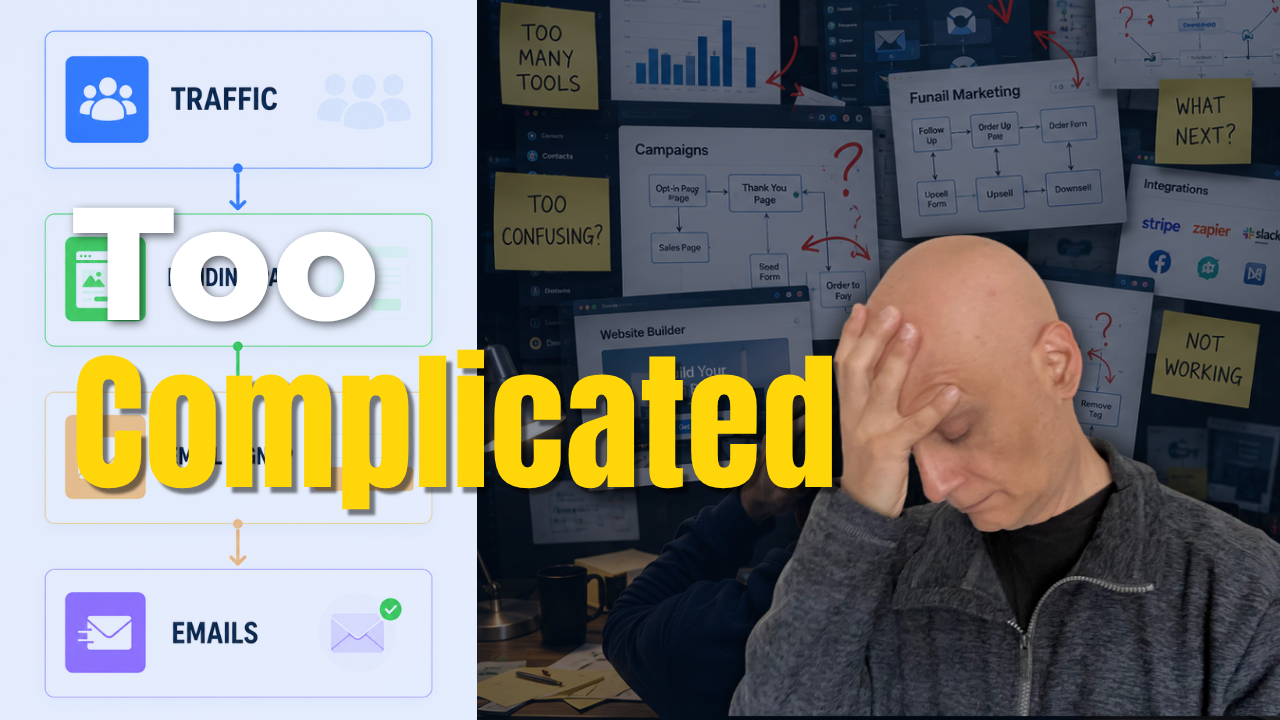
    Most beginners make funnels WAY more complicated than they need to be.

    In this beginner-friendly Systeme.io tutorial, I’ll show you how to build a simple funnel step-by-step without getting overwhelmed.

    We’ll build:
    ✅ A simple opt-in page
    ✅ An email signup form
    ✅ A thank you page
    ✅ A basic welcome email automation
    ✅ A complete beginner funnel in Systeme.io
    Most beginners make funnels WAY more complicated than they need to be.

    In this beginner-friendly Systeme.io tutorial, I’ll show you how to build a simple funnel step-by-step without getting overwhelmed.

    We’ll build:
    ✅ A simple opt-in page
    ✅ An email signup form
    ✅ A thank you page
    ✅ A basic welcome email automation
    ✅ A complete beginner funnel in Systeme.io

    The goal of this video is simple:

    Build a funnel that actually works… without overcomplicating everything.

    Because honestly?

    Most beginners don’t need:
    ❌ complicated automations
    ❌ advanced funnels
    ❌ huge websites
    ❌ perfect designs

    You just need a simple system that helps you start building momentum online.

    👇 FREE BEGINNER FUNNEL RESOURCE
    🔗https://www.pagebuilderacademy.com/starter

    Get a FREE Systeme.io account below:
    🔗https://www.pagebuilderacademy.com/systeme

    See my full Systeme.io review + bonuses:
    🔗https://www.pagebuilderacademy.com/2r8b


    ⏱️ TIMESTAMPS
    00:00 Introduction + Funnel Overview
    00:20 Why Simple Funnels Work
    01:00 Create the Funnel in Systeme.io
    02:10 Build the Opt-In Page
    04:00 Set Up the Email Signup Form
    05:10 Create the Thank You Page
    06:08 Set Up the Welcome Email Automation
    08:21 Test the Funnel Live
    09:04 Final Funnel Walkthrough
    09:20 Next Steps + Free Funnel Starter Kit

    🔥 RELATED VIDEOS
    ▶️ https://youtu.be/H1sC2kr6pSY
    ▶️ https://www.youtube.com/playlist?list=PL-Vkn_82egqJNakvzsaF4kPFhxDq2c78I

    #systemeio .io #funnels #emailmarketing #affiliatemarketing #onlinebusiness #pagebuilderacademy #digitalmarketing #onlinebusinesstips #makemoneyonline
    ========================
    QUESTIONS? CONTACT ME!
    ========================

    EMAIL: zaf@pagebuilderacademy.com

    ===========
    FOLLOW ME
    ===========

    ▶ YOUTUBE SUBSCRIBE – @PageBuilderAcademy

    ============
    DISCLAIMER
    ============
    Some of the links in this description may be affiliate links, which means I receive a small commission at NO ADDITIONAL cost to you if you decide to purchase something.
  • Start Here: Build a Simple Online System (Beginner Guide)

    Start Here: Build a Simple Online System (Beginner Guide)

    Most beginners make an online business way more complicated than it needs to be.

    You do NOT need:
    ❌ complicated funnels
    ❌ giant automations
    ❌ dozens of tools
    ❌ perfect systems
    In this video, I’ll show you a much simpler way to get started using a basic funnel setup inside Systeme.io.

    We’ll cover:
    ✔ Simple funnel structure
    ✔ Beginner-friendly opt-in page setup
    ✔ Email automation basics
    ✔ How to avoid overwhelm
    ✔ Why simple systems work better for beginners

    If you’ve been feeling stuck trying to build an online business, affiliate marketing funnel, or email list… this video will help simplify the process.

    👇 FREE Beginner Resource:
    📌 Beginner Funnel Checklist / Freebie:
    🔗https://www.pagebuilderacademy.com/starter

    Get a FREE Systeme.io account below:
    🔗https://www.pagebuilderacademy.com/systeme

    See my full Systeme.io review + bonuses:
    🔗https://www.pagebuilderacademy.com/2r8b

    ⏱️Timestamps:
    00:00 Why Most Beginners Stay Stuck
    00:22 Simple Funnels Build Momentum
    00:37 The Simple Funnel Setup Explained
    01:07 Create a Funnel in Systeme.io
    01:24 Choosing a Simple Opt-In Page
    01:45 Don’t Overcomplicate Your Funnel
    02:00 Simplify Your Opt-In Form
    02:17 What Makes a Good Opt-In Page
    02:36 Simple Email Automation Setup
    02:47 Stop Overcomplicating Automation
    03:02 Simple Systems Work Better
    03:27 Free Beginner Funnel Resource
    03:38 Beginner Funnels & Email Marketing

    #systemeio #affiliatemarketing #emailmarketing #onlinebusiness #funnels #leadgeneration #digitalmarketing #passiveincome #entrepreneur #marketingautomation #pagebuilderacademy

    If you enjoy beginner-friendly videos about:
    – Systeme.io
    – affiliate marketing
    – email marketing
    – funnels
    – online business
    – automation
    – growing an email list

    …consider subscribing.

    New videos every week.

    ========================
    QUESTIONS? CONTACT ME!
    ========================

    EMAIL: zaf@pagebuilderacademy.com

    ===========
    FOLLOW ME
    ===========

    ▶ YOUTUBE SUBSCRIBE – @PageBuilderAcademy

    ============
    DISCLAIMER
    ============
    Some of the links in this description may be affiliate links, which means I receive a small commission at NO ADDITIONAL cost to you if you decide to purchase something.
  • How To Build A Simple Funnel in Systeme.io

    How To Build A Simple Funnel in Systeme.io

    If funnels have been feeling confusing or overwhelming, this beginner-friendly Systeme.io tutorial will show you how to build a simple funnel step-by-step.
    In this video, you’ll learn how to:

    ✅ Create a simple funnel in Systeme.io
    ✅ Add an opt-in page
    ✅ Set up a thank you page
    ✅ Connect a basic email automation
    ✅ Understand how the funnel flow works

    This tutorial is designed for beginners who want a simple online system without getting overwhelmed by complicated setups or advanced strategies.

    🎁 FREE Starter Kit:
    🔗https://www.pagebuilderacademy.com/starter

    Get a FREE Systeme.io account below:
    🔗https://www.pagebuilderacademy.com/systeme

    See my full Systeme.io review + bonuses:
    🔗https://www.pagebuilderacademy.com/2r8b

    🎥 WATCH NEXT:
    How to Create a Simple Opt-In Page in Systeme.io
    🔗https://www.pagebuilderacademy.com/create-an-opt-in-page-in-systeme-io/

    📌 Subscribe for beginner-friendly funnel tutorials, landing page builds, email list strategies and online business systems.

    #systemeio #funneltutorial #emailmarketing #landingpage #onlinebusiness #digitalmarketing #leadgeneration #systemeiotutorial #beginnerfunnels #emaillistbuilding #pagebuilderacademy

    ⏱️Timestamps:
    0:00 Intro – Why Funnels Feel Complicated
    0:10 Simple Funnel Flow Explained
    0:25 Create a New Funnel in Systeme.io
    0:50 Choose an Opt-In Page Template
    1:08 Quick Opt-In Page Setup
    1:17 Completed Opt-In Page Example
    1:26 Set Up the Thank You Page
    1:38 Completed Thank You Page Example
    1:47 Test the Funnel Flow
    2:02 Add Email Automation
    2:12 Create a Workflow
    2:29 Set the Form Subscribe Trigger
    3:03 Add the Subscribe to Campaign Action
    3:19 Connect the Email Campaign
    3:26 Your Simple Funnel System Explained
    3:34 Build Your Email List Step-by-Step
    3:42 Free Starter Resource + Next Video


    ========================
    QUESTIONS? CONTACT ME!
    ========================

    EMAIL: zaf@pagebuilderacademy.com

    ===========
    FOLLOW ME
    ===========

    ▶ YOUTUBE SUBSCRIBE – @PageBuilderAcademy

    ============
    DISCLAIMER
    ============
    Some of the links in this description may be affiliate links, which means I receive a small commission at NO ADDITIONAL cost to you if you decide to make a purchase.
  • Start Here: Build a Simple Online System (Beginner Guide)

    Start Here: Build a Simple Online System (Beginner Guide)

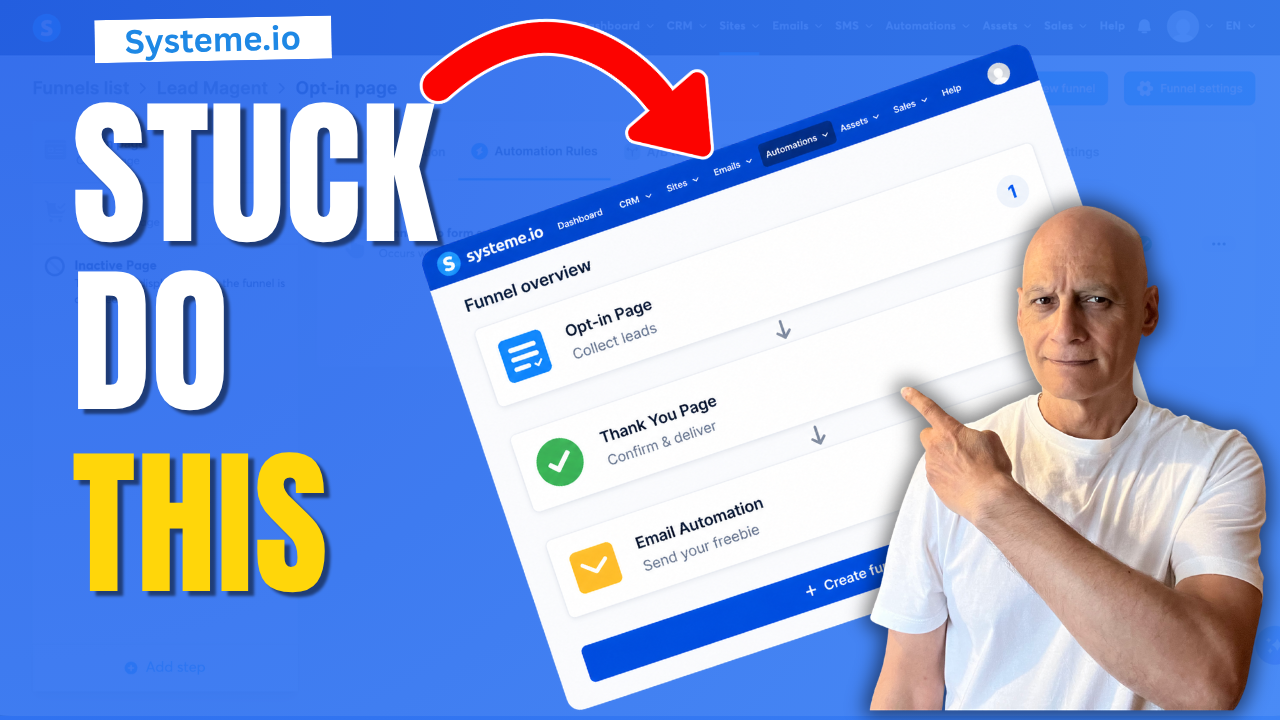
    If you’ve been trying to build something online but feel like you’re just spinning your wheels… this video will show you why — and how to fix it with a simple system.

    Most beginners stay stuck because they don’t have a clear structure to follow. In this video, I’ll walk you through a simple setup you can use to start building momentum — without overcomplicating things.

    This shows you step-by-step how to build a simple online system that can help you start collecting leads and moving things forward.
    🎯 What You’ll Learn:

    * Why most beginners feel stuck online
    * The real reason progress feels slow
    * A simple funnel system anyone can start with
    * How to start building momentum (without overwhelm)

    👉 If you want something simple to follow, get the FREE Starter Kit here:
    🔗https://www.pagebuilderacademy.com/starter

    Get a FREE Systeme.io account below:
    🔗https://www.pagebuilderacademy.com/systeme

    See my full Systeme.io review + bonuses:
    🔗https://www.pagebuilderacademy.com/2r8b

    📺 Watch the full beginner system here: Playlist: https://www.youtube.com/playlist?list=PL-Vkn_82egqJNakvzsaF4kPFhxDq2c78I
    #makemoneyonline #systemeio #affiliatemarketing #onlinebusiness #emailmarketing #digitalmarketing #funnelbuilding #beginnersguide #systemeiotutorial #pagebuilderacademy

    ⏱️ Timestamps:
    0:00 Why you feel stuck building online
    0:08 Why effort isn’t leading to results
    0:16 The real problem (no simple system)
    0:24 You don’t need complicated tools
    0:31 The simple system that works
    0:36 Why Systeme.io helps beginners
    0:43 Simple opt-in page example
    0:52 How the email capture works
    1:13 What happens after signup (thank you page)
    1:21 Turning this into real progress
    1:30 When things start to change
    1:36 From stuck to momentum
    1:43 What to do next (build & grow)
    1:52 Free starter kit (next step)
    2:00 What’s coming next

    ========================
    QUESTIONS? CONTACT ME!
    ========================

    EMAIL: zaf@pagebuilderacademy.com

    ===========
    FOLLOW ME
    ===========

    ▶ YOUTUBE SUBSCRIBE – @PageBuilderAcademy

    ============
    DISCLAIMER
    ============
    Some of the links in this description may be affiliate links, which means I receive a small commission at NO ADDITIONAL cost to you if you decide to purchase something.
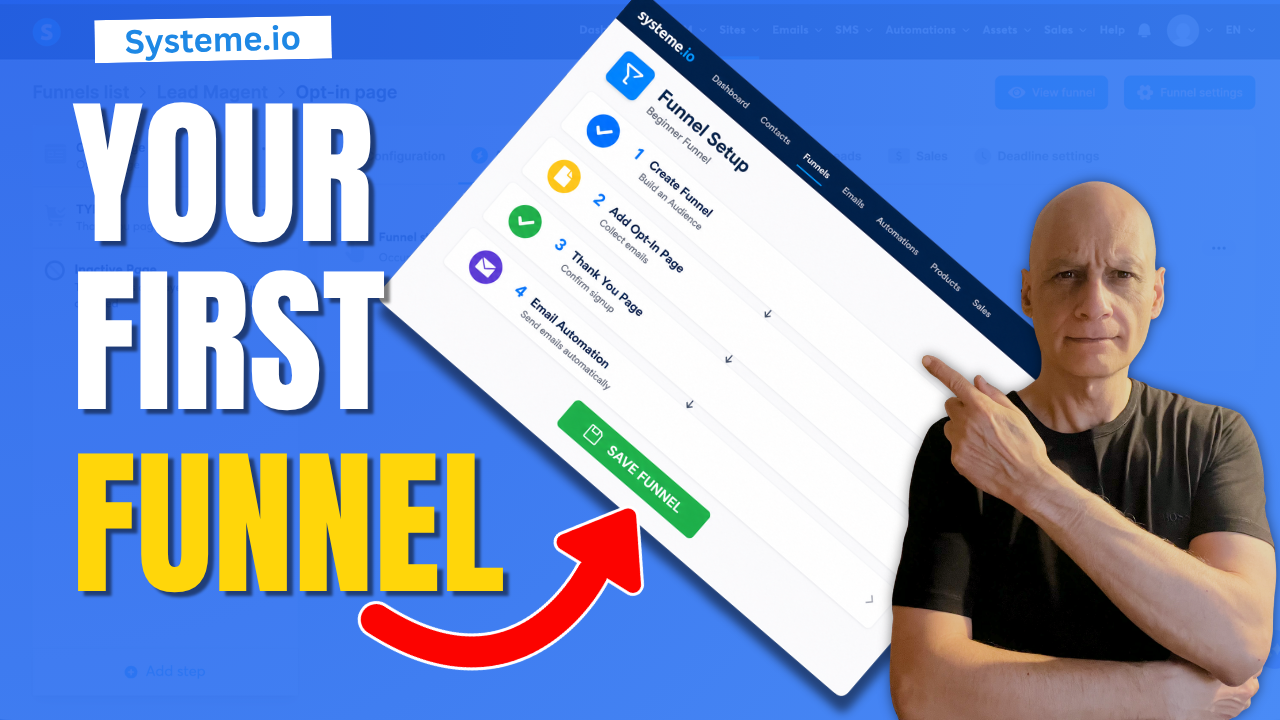
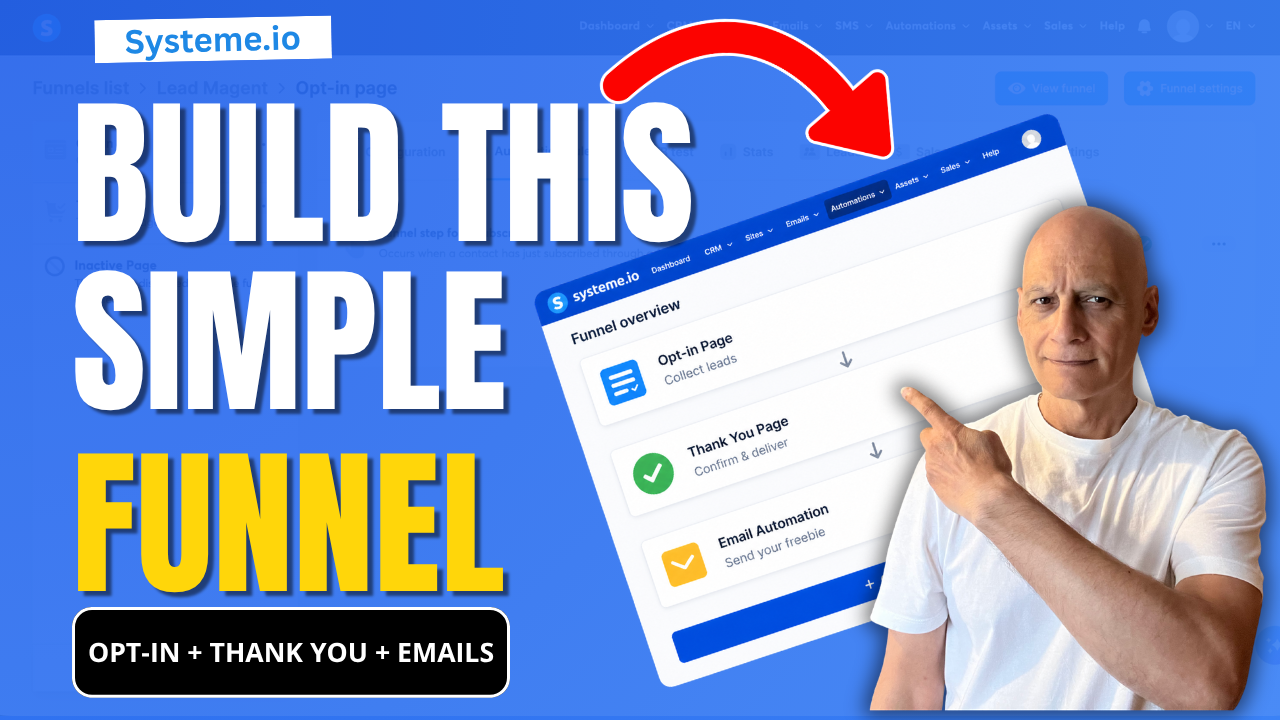
  • Build your first simple funnel in Systeme.io

    Build your first simple funnel in Systeme.io

    If you’re new to Systeme.io and want to start building your email list, this video shows you the exact beginner funnel setup you need:

    ✔ Opt-in page (collect emails)
    ✔ Thank you page (guide your subscriber)
    ✔ Email automation (deliver your freebie automatically)

    This is the simplest funnel you can build to start growing your list without confusion.
    🎯 What You’ll Learn

    * How to create a basic funnel in Systeme.io
    * How all parts of a funnel connect together
    * The two simple ways to send your freebie automatically
    * How to test your funnel properly (most beginners skip this)

    🔧 Step-by-Step Tutorials (Watch Next)

    👉 Full Opt-in Page Tutorial → https://youtu.be/dlTIuSDJcM8
    👉 Thank You Page Tutorial → https://youtu.be/VjRpHNbhoyM
    👉 Automation with Tags → https://youtu.be/t4h6SreY558
    👉 Automation with Campaigns → https://youtu.be/VByyGCoF0Rc
    👉 How to Test Your Funnel → https://youtu.be/Wj1Tg2j8jHA

    If you want help building better funnels in Systeme.io, download my free checklist here:
    👉 🔗https://www.pagebuilderacademy.com/starter

    Get a FREE Systeme.io account below:
    🔗https://www.pagebuilderacademy.com/systeme

    See my full Systeme.io review + bonuses:
    🔗https://www.pagebuilderacademy.com/2r8b

    💬 About This Channel

    I create simple, beginner-friendly tutorials to help you build funnels, grow your email list, and start earning online — without overwhelm.

    👍 If This Helped

    Like the video and subscribe if you want more step-by-step Systeme.io tutorials designed for beginners.

    #systemeio #emailmarketing #funnelbuilding #leadgeneration #makemoneyonline #digitalmarketing #affiliatemarketing #emailfunnels #onlinebusiness #listbuilding #pagebuilderacademy #systemeiotutorial

    ⏱️ Timestamps:
    0:00 Build Your First Funnel in Systeme.io
    0:18 See How This Funnel Works (Preview)
    0:31 Start Building Step-by-Step
    0:40 Create Your Funnel (Dashboard Setup)
    1:25 Choose a Simple Funnel Template
    1:42 Your Opt-in Page Explained (Keep It Simple)
    2:19 Your Thank You Page Explained
    3:08 Set Up Email Automation (Important Step)
    3:46 How Your Freebie Is Sent Automatically
    4:02 Test Your Funnel (Full Walkthrough)
    4:40 Check Email Delivery (Freebie Sent)
    4:47 What To Do Next (Improve Your Funnel)
    5:07 Subscribe for More Beginner Tutorials
    5:12 Free Systeme.io Starter Kit (Bonus)


    ===========
    FOLLOW ME
    ===========

    ▶ YOUTUBE SUBSCRIBE – @PageBuilderAcademy

    ============
    DISCLAIMER
    ============
    Some of the links in this description may be affiliate links, which means I receive a small commission at NO ADDITIONAL cost to you if you decide to purchase something.
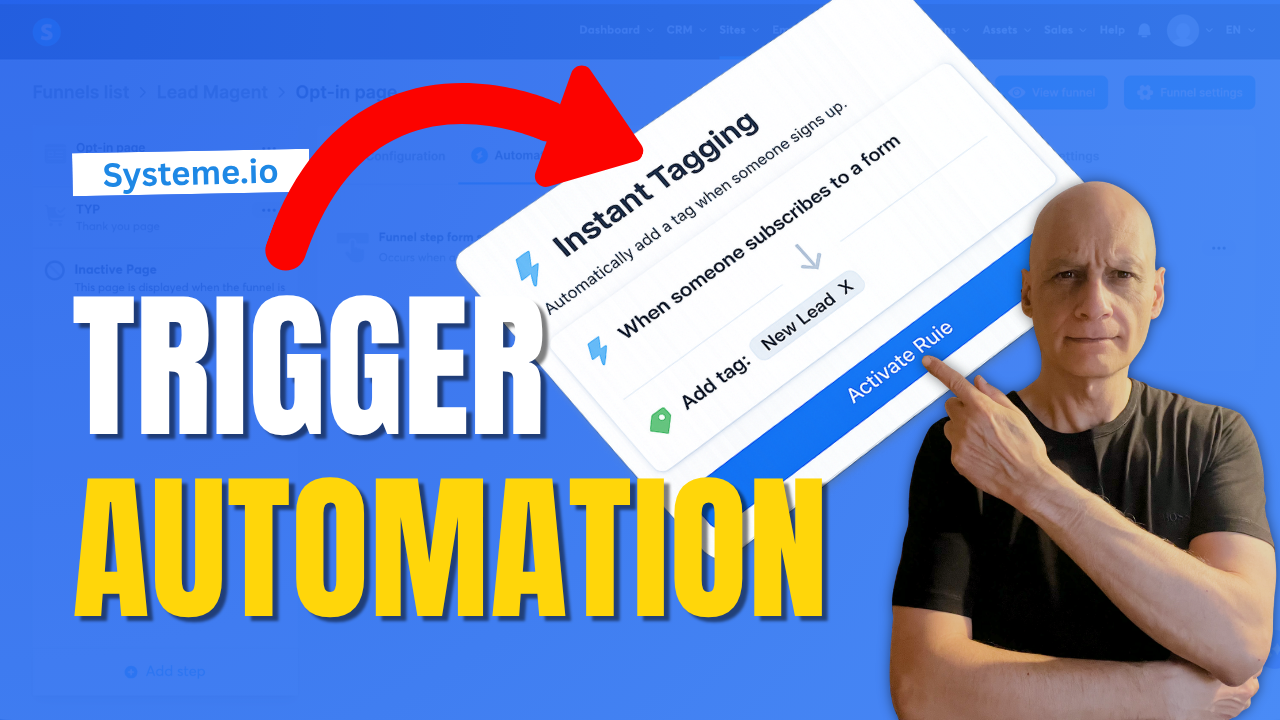
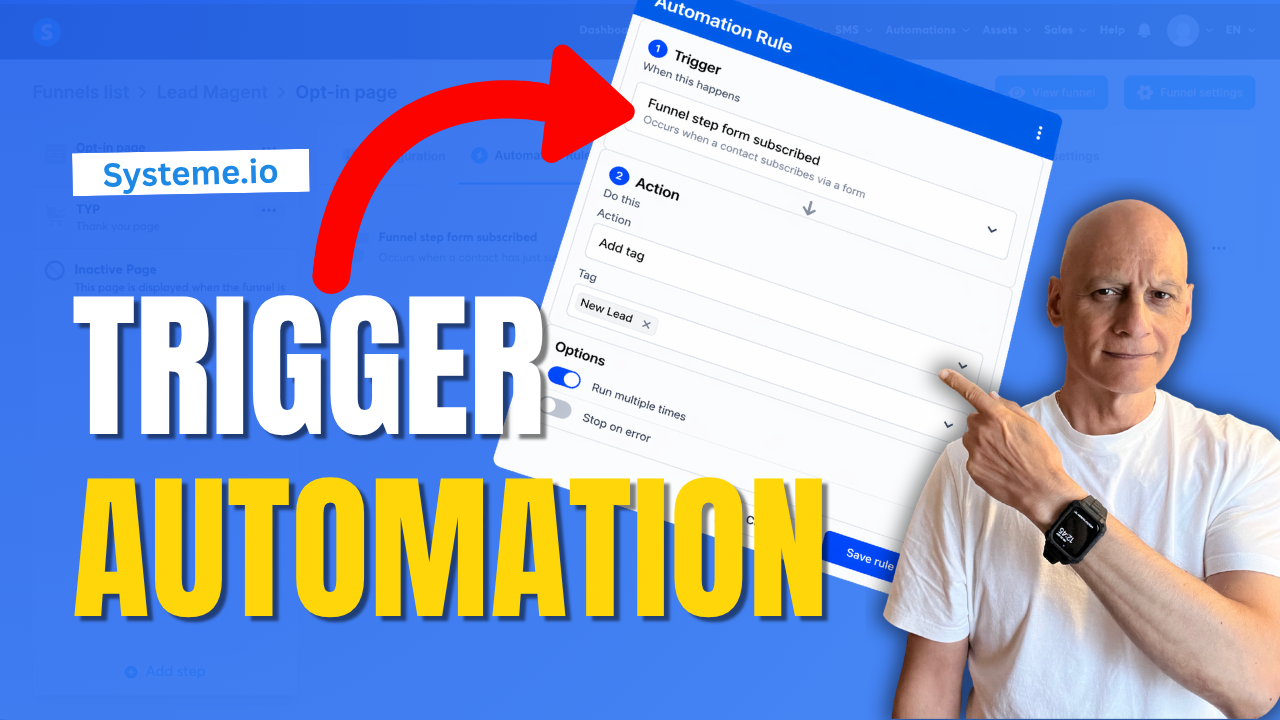
  • How to Trigger an Automation When Someone Signs Up Systeme.io

    How to Trigger an Automation When Someone Signs Up Systeme.io

    In this beginner-friendly tutorial, you’ll learn how to trigger an automation on a funnel step inside Systeme.io.

    This allows you to automatically add tags, start email campaigns, or track user behaviour when someone visits or interacts with your funnel pages.
    In this step-by-step guide, you’ll learn:

    * How to access automation rules in your funnel
    * How to choose the right trigger
    * How to add actions like tagging or email sequences
    * How to test your automation properly

    This is a simple but powerful way to automate your funnels and build a more targeted email list.


    👉 Download my free Systeme.io checklist to build better funnels: 🔗https://www.pagebuilderacademy.com/starter

    Get a FREE Systeme.io account below:
    🔗https://www.pagebuilderacademy.com/systeme

    See my full Systeme.io review + bonuses:
    🔗https://www.pagebuilderacademy.com/2r8b


    ⏱️Timestamps
    0:00 What Happens After Signup?
    0:18 Trigger an Automation in Systeme.io
    0:32 What This Automation Does
    0:44 Go to Sales Funnels
    1:07 Open Automation Rules
    1:15 Choose the Best Trigger
    1:45 Add an Action
    2:18 Add a Tag to New Leads
    2:40 Save Your Rule
    2:55 Test Your Automation
    3:13 Setup Complete
    3:24 Free Systeme.io Starter Kit

    ========================
    QUESTIONS? CONTACT ME!
    ========================

    EMAIL: zaf@pagebuilderacademy.com

    ===========
    FOLLOW ME
    ===========

    ▶ YOUTUBE SUBSCRIBE – @PageBuilderAcademy

    ============
    DISCLAIMER
    ============
    Some of the links in this description may be affiliate links, which means I receive a small commission at NO ADDITIONAL cost to you if you decide to purchase something.
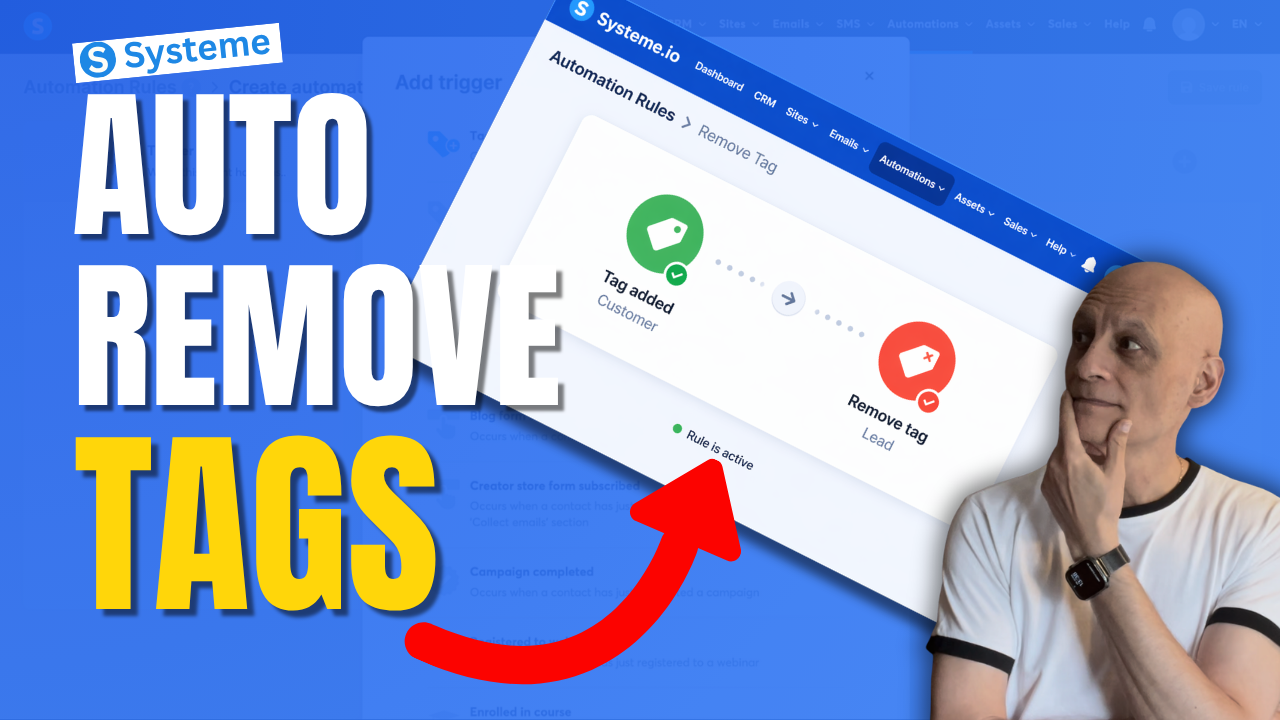
  • How to Remove a tag With Automation in Systeme.io

    How to Remove a tag With Automation in Systeme.io

    Want to remove a tag automatically in Systeme.io instead of doing it manually every time?

    In this beginner-friendly tutorial, I’ll show you step by step how to remove a tag using automation in Systeme.io so you can keep your contacts organised and avoid messy tag setups.
    This is really useful if you want to:

    * clean up old tags automatically
    * move people between automations
    * stop contacts staying in the wrong segment
    * make your email marketing more organised

    If you’re new to Systeme.io, don’t worry — I’ll keep this simple and easy to follow.

    🎁 Free resource: Download my free checklist to help you build better pages and funnels inside Systeme.io.

    📌 Beginner Funnel Checklist / Freebie:
    🔗https://www.pagebuilderacademy.com/starter

    Get a FREE Systeme.io account below:
    🔗https://www.pagebuilderacademy.com/systeme

    See my full Systeme.io review + bonuses:
    🔗https://www.pagebuilderacademy.com/2r8b

    ⏱️Timestamps:
    0:00 Most Beginners Miss This
    0:07 Remove Tags Automatically
    0:14 What a Tag Is
    0:22 Why Old Tags Hurt
    0:32 What We’re Building
    0:46 Go to Automations
    1:01 Create Rule
    1:08 Trigger: Tag Added
    1:31 Add Remove Tag Action
    1:50 Lead to Customer Example
    2:14 Best Use Cases
    2:32 Save Rule
    2:40 Beginner Tip
    3:02 Final Thoughts
    3:10 Free Starter Kit


    #systemeio #emailmarketing #automation #funnels #systemeiotutorial #systemeiotutorial #pagebuilderacademy

    ========================
    QUESTIONS? CONTACT ME!
    ========================

    EMAIL: zaf@pagebuilderacademy.com

    ===========
    FOLLOW ME
    ===========

    ▶ YOUTUBE SUBSCRIBE – @PageBuilderAcademy

    ============
    DISCLAIMER
    ============
    Some of the links in this description may be affiliate links, which means I receive a small commission at NO ADDITIONAL cost to you if you decide to purchase something.
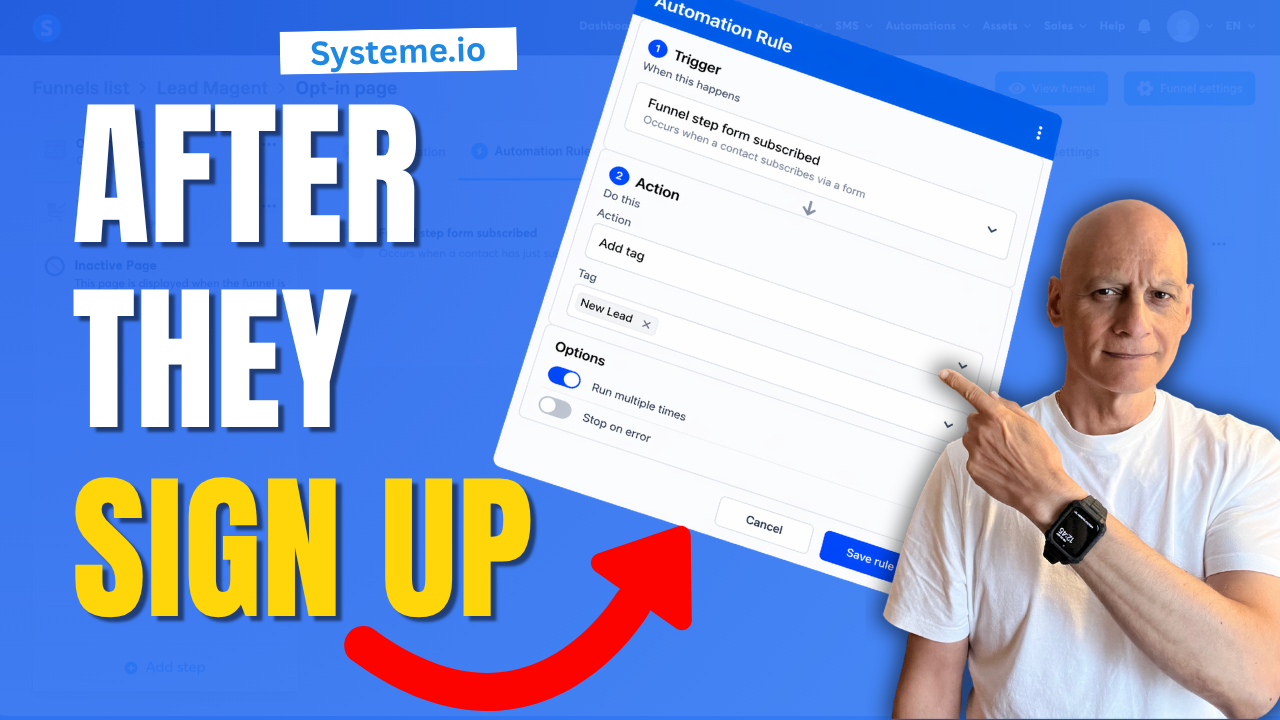
  • This Simple Automation Triggers Instantly Systeme.io

    This Simple Automation Triggers Instantly Systeme.io

    There’s a simple automation inside Systeme.io that most beginners either miss… or overcomplicate.

    In this video, I’ll show you how to set up a simple automation that triggers instantly when someone signs up to your funnel—so you can automatically tag contacts, start email sequences, and move subscribers into the right follow-up without doing anything manually.

    This is one of the easiest ways to start building a smarter, more automated funnel inside Systeme.io.
    🔧 What You’ll Learn

    * How to trigger an automation when someone subscribes
    * How to automatically tag new leads
    * How to connect your funnel to email follow-up
    * How to test your automation properly

    🚀 Why This Matters

    Without automation, your funnel stops at the opt-in.

    With this setup:

    * Your contacts are tagged instantly
    * Your emails can start automatically
    * Your follow-up becomes consistent and scalable

    👉 Download my free Systeme.io checklist to build better funnels:
    📌 Beginner Funnel Checklist
    🔗https://www.pagebuilderacademy.com/starter

    Get a FREE Systeme.io account below:
    🔗https://www.pagebuilderacademy.com/systeme

    See my full Systeme.io review + bonuses:
    🔗https://www.pagebuilderacademy.com/2r8b


    If you found this helpful, make sure to:
    👍 Like the video
    🔔 Subscribe for more simple Systeme.io tutorials

    ⏱️Timestamps:
    0:00 Simple Automation Most Beginners Miss
    0:16 What This Automation Does
    0:24 Quick Demo (Happens Instantly)
    0:39 Go to Funnels in Systeme.io
    0:57 Open Automation Rules
    1:10 Add Trigger (Important Step)
    1:25 Choose the Right Trigger
    1:49 Add Action (Tag Setup)
    2:30 Save Your Automation
    2:45 Test Your Setup
    3:13 Automation Now Runs Instantly
    3:22 Free Resource + Next Steps

    #systemeio #emailmarketing #salesfunnel #marketingautomation #onlinemarketing #affiliatemarketing #digitalmarketing #listbuilding #funnels #automation #makemoneyonline #systemeiotutorial #pagebuilderacademy


    ========================
    QUESTIONS? CONTACT ME!
    ========================

    EMAIL: zaf@pagebuilderacademy.com

    ===========
    FOLLOW ME
    ===========

    ▶ YOUTUBE SUBSCRIBE – @PageBuilderAcademy

    ============
    DISCLAIMER
    ============
    Some of the links in this description may be affiliate links, which means I receive a small commission at NO ADDITIONAL cost to you if you decide to purchase something.
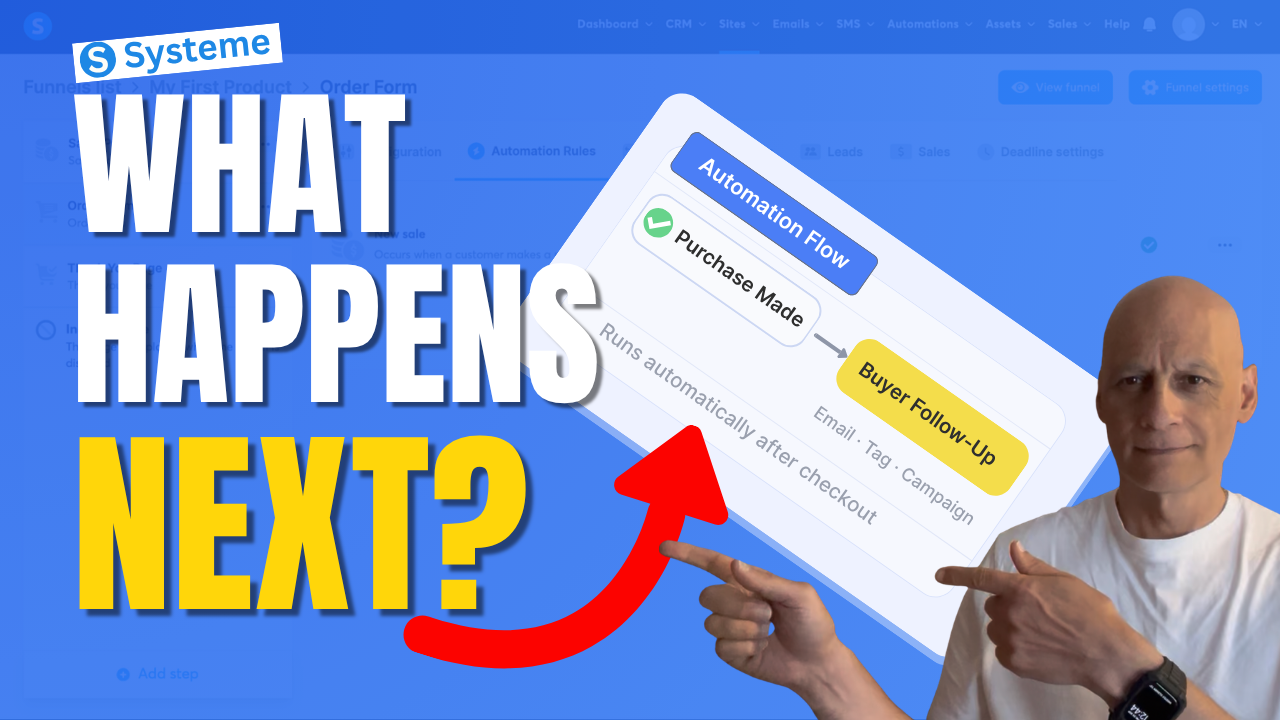
  • What Happens After a Sale? Automate It in Systeme.io

    What Happens After a Sale? Automate It in Systeme.io

    If you want Systeme.io to automatically do something after someone buys your product, this video will show you exactly how to set that up.

    In this beginner-friendly Systeme.io tutorial, I’ll walk you through how to trigger an automation when a purchase is made — so you can automatically send emails, add tags, subscribe buyers to a campaign, and more.

    This is one of the most useful automations you can set up if you’re selling digital products, using funnels, or building your email list inside Systeme.io.
    If you want Systeme.io to automatically do something after someone buys your product, this video will show you exactly how to set that up.

    In this beginner-friendly Systeme.io tutorial, I’ll walk you through how to trigger an automation when a purchase is made — so you can automatically send emails, add tags, subscribe buyers to a campaign, and more.

    This is one of the most useful automations you can set up if you’re selling digital products, using funnels, or building your email list inside Systeme.io.

    In this video, you’ll learn how to:

    • trigger an automation after a purchase
    • use the New sale trigger
    • automatically subscribe buyers to a campaign
    • streamline your Systeme.io sales funnel

    If you’re new to Systeme.io, this is a simple but powerful setup to get working inside your funnel.

    👇 Grab my free resource below to help you build better-performing pages in Systeme.io.

    ✅ Free resource
    📌 Beginner Funnel Checklist / Freebie:
    🔗https://www.pagebuilderacademy.com/starter

    Get a FREE Systeme.io account below:
    🔗https://www.pagebuilderacademy.com/systeme

    See my full Systeme.io review + bonuses:
    🔗https://www.pagebuilderacademy.com/2r8b

    ⏱️Timestamps
    0:00 What actually happens after a sale?
    0:18 The simple automation rule explained
    0:38 Where to set this up in Systeme.io
    0:54 The step most people miss
    1:01 Where automation starts
    1:11 Create your automation rule
    1:18 Trigger the automation after a sale
    1:36 What should happen next?
    1:44 Your main automation options
    1:51 Send buyers into a follow-up sequence
    2:07 Choose your campaign
    2:16 Turn on your automation
    2:23 What happens automatically now
    2:30 More things you can automate
    2:39 The one rule to remember
    2:46 Don’t skip this step (important)
    2:55 Why this setup works so well
    3:04 Free Systeme.io starter kit

    #systemeio #systemeiotutorial #emailmarketing #salesfunnels #marketingautomation #automationtutorial #onlinebusiness #makemoneyonlinebeginners #beginnermarketing #digitalproducts #funnelbuilding #emaillistbuilding #passiveincome #systemeioforbeginners
    #affiliatemarketing #pagebuilderacademy

    ========================
    QUESTIONS? CONTACT ME!
    ========================

    EMAIL: zaf@pagebuilderacademy.com

    ===========
    FOLLOW ME
    ===========

    ▶ YOUTUBE SUBSCRIBE – @PageBuilderAcademy

    ============
    DISCLAIMER
    ============
    Some of the links in this description may be affiliate links, which means I receive a small commission at NO ADDITIONAL cost to you if you decide to purchase something.
  • How to Create a Thank You Page In Systeme.io

    Want to know how to create a thank you page in Systeme.io step by step?

    In this beginner-friendly tutorial, I’ll show you exactly how to build a simple thank-you page that confirms signups, delivers your free resource, and guides your visitors to the next step in your funnel.

    Most beginners miss this step — and it can cost you leads, engagement, and sales.
    In this video, you’ll learn:

    • How to add a thank you page in Systeme.io
    • What to include on your page
    • How to guide your subscribers properly
    • Simple tips to improve your funnel

    🎁 Grab your free checklist here:
    🔗https://www.pagebuilderacademy.com/starter

    Get a FREE Systeme.io account below:
    🔗https://www.pagebuilderacademy.com/systeme

    See my full Systeme.io review + bonuses:
    🔗https://www.pagebuilderacademy.com/2r8b

    #systemeio #thankyoupage #funnelbuilding #emailmarketing #systemeiotutorial #buildanemaillist #leadgeneration #conversiontips #funneltutorial #onlinebusiness #makemoneyonline #stepbystep #tutorialforbeginners #pagebuilderacademy

    ⏱️Timestamps
    0:00 Don’t Skip This Step
    0:21 What Happens After Opt-In
    0:48 Create Your Thank You Page
    2:26 Pick a Simple Template
    3:21 Edit Your Page Fast
    4:52 Tell Them What to Do
    5:38 Guide the Next Step
    5:54 Save & Test Everything
    6:58 Free Resource

    ========================
    QUESTIONS? CONTACT ME!
    ========================

    EMAIL: zaf@pagebuilderacademy.com

    ===========
    FOLLOW ME
    ===========

    ▶ YOUTUBE SUBSCRIBE – @PageBuilderAcademy

    ============
    DISCLAIMER
    ============
    Some of the links in this description may be affiliate links, which means I receive a small commission at NO ADDITIONAL cost to you if you decide to purchase something.